AI Overview
AI Overview is a dashboard that turns the OpenTelemetry-derived gen_ai.* metadata Inngest captures from your AI calls into a live view of usage, cost, and performance across your environment.
Overview
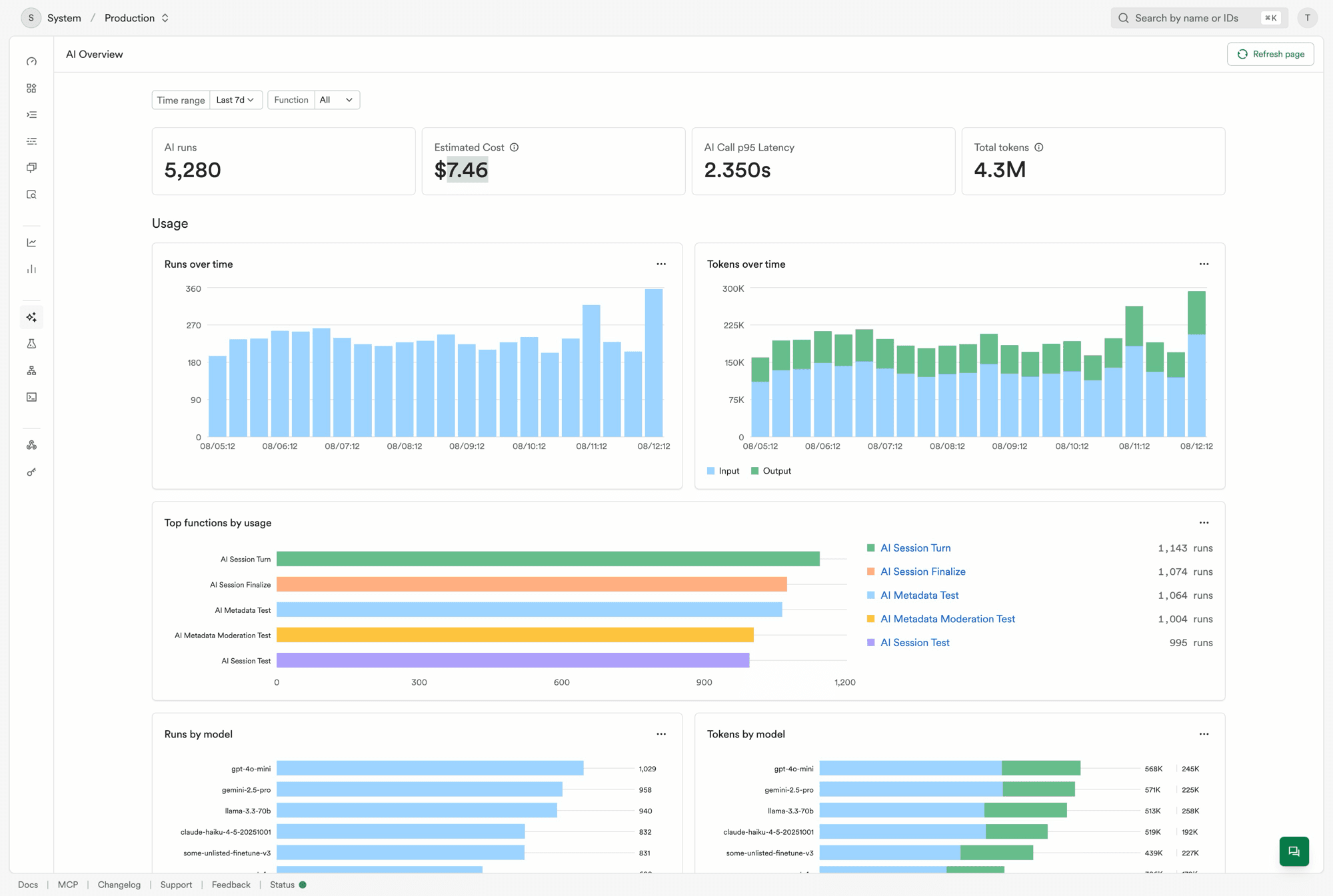
Every section can be filtered by:
- Time range - a relative window (for example, last 7 days) or an absolute date range, limited by your plan's data retention.
- Function - one or more functions, to scope the dashboard to a specific workflow.
Every chart and table links back to the underlying data — click through to the runs, functions, or sessions behind any data point to investigate further. Each chart also has a menu with an Open in Insights link that opens the exact query behind it in the Insights SQL editor, so you can inspect or modify it further.
Requirements
AI Overview reads the same gen_ai.* metadata used elsewhere in the product (for example, on the run details page). To populate it:
- Load an OpenTelemetry provider in your app.
- Make sure your AI calls emit
gen_ai.*spans — this happens automatically for the OpenAI, Anthropic, and Google Generative AI SDKs, and for the Vercel AI SDK once telemetry is enabled per call.
See the AI metadata quickstart for the full setup.
If no AI calls have been captured yet, the dashboard shows a getting-started guide instead of charts.
Usage
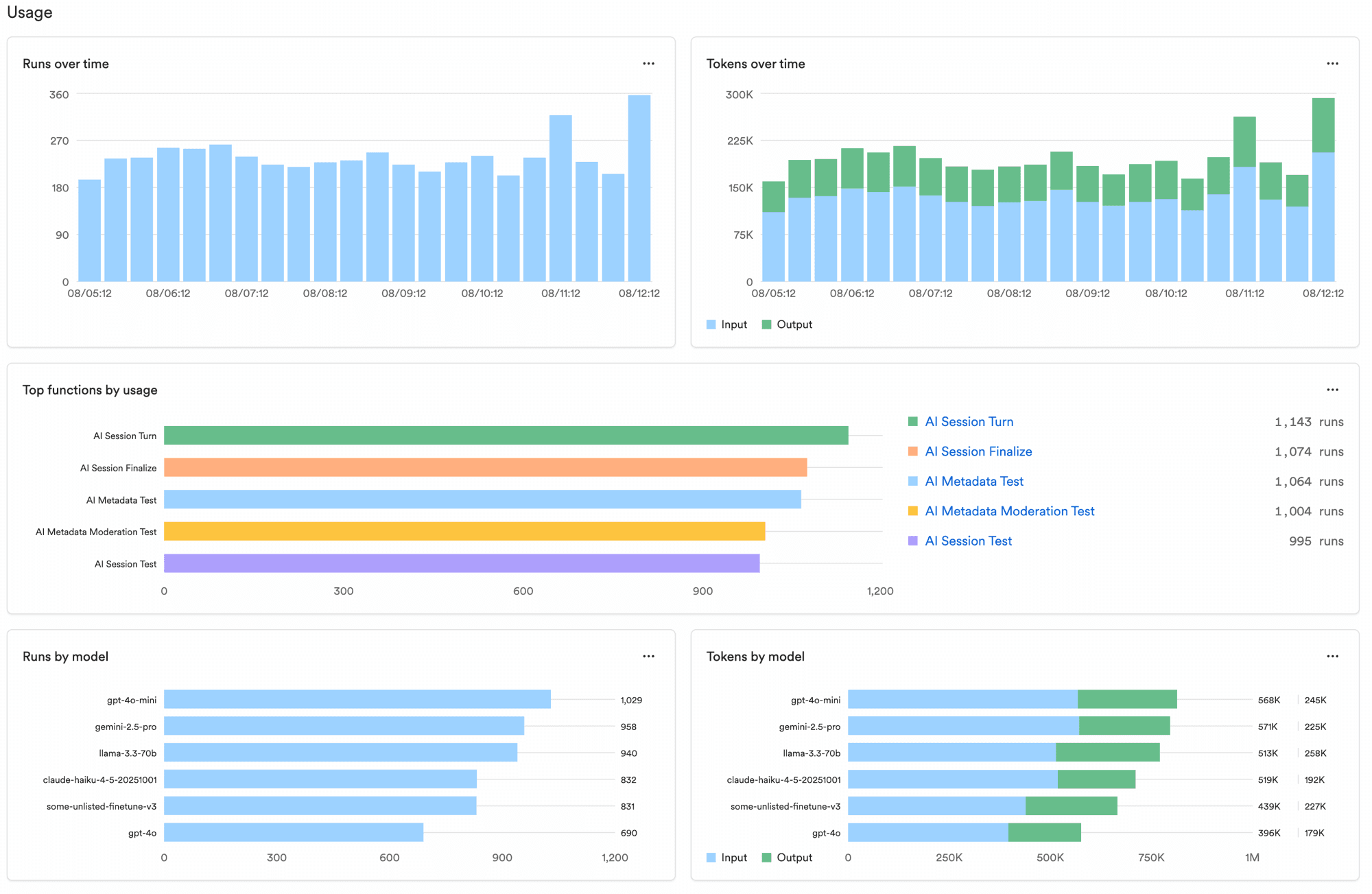
- Headline stats - AI runs, estimated cost, AI call p95 latency, and total tokens for the selected range and filters. Latency here is per AI call, not per run — a single run can make several AI calls.
- Runs and tokens over time - call volume and input/output token usage as trends.
- Top functions by usage - the top 5 functions by AI call volume.
- Runs and tokens by model - the top 5 models by usage.
Cost
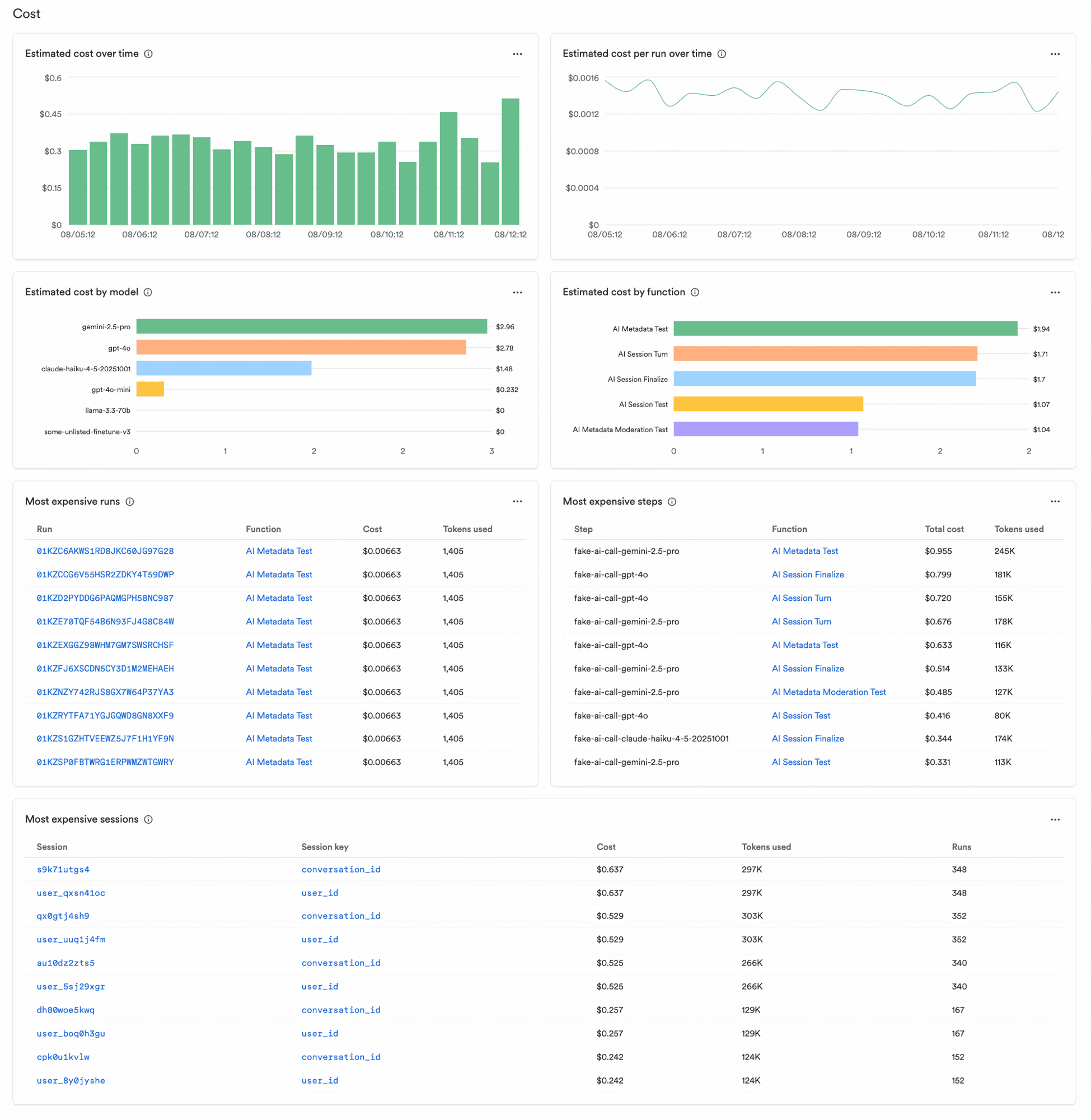
- Estimated cost over time and cost per run over time - cost trends, plus a breakdown by the top 5 models and top 5 functions by cost.
- Most expensive runs, steps, and sessions - tables of the top 10 individual runs, steps, and sessions by cost. A session groups runs by a session key you attach to events, such as a conversation or user ID.
Cost is estimated from uncached input and output token usage at each model's list price. It won't reflect prompt caching discounts, provider-specific pricing changes, or calls to models Inngest doesn't have pricing data for.
Performance
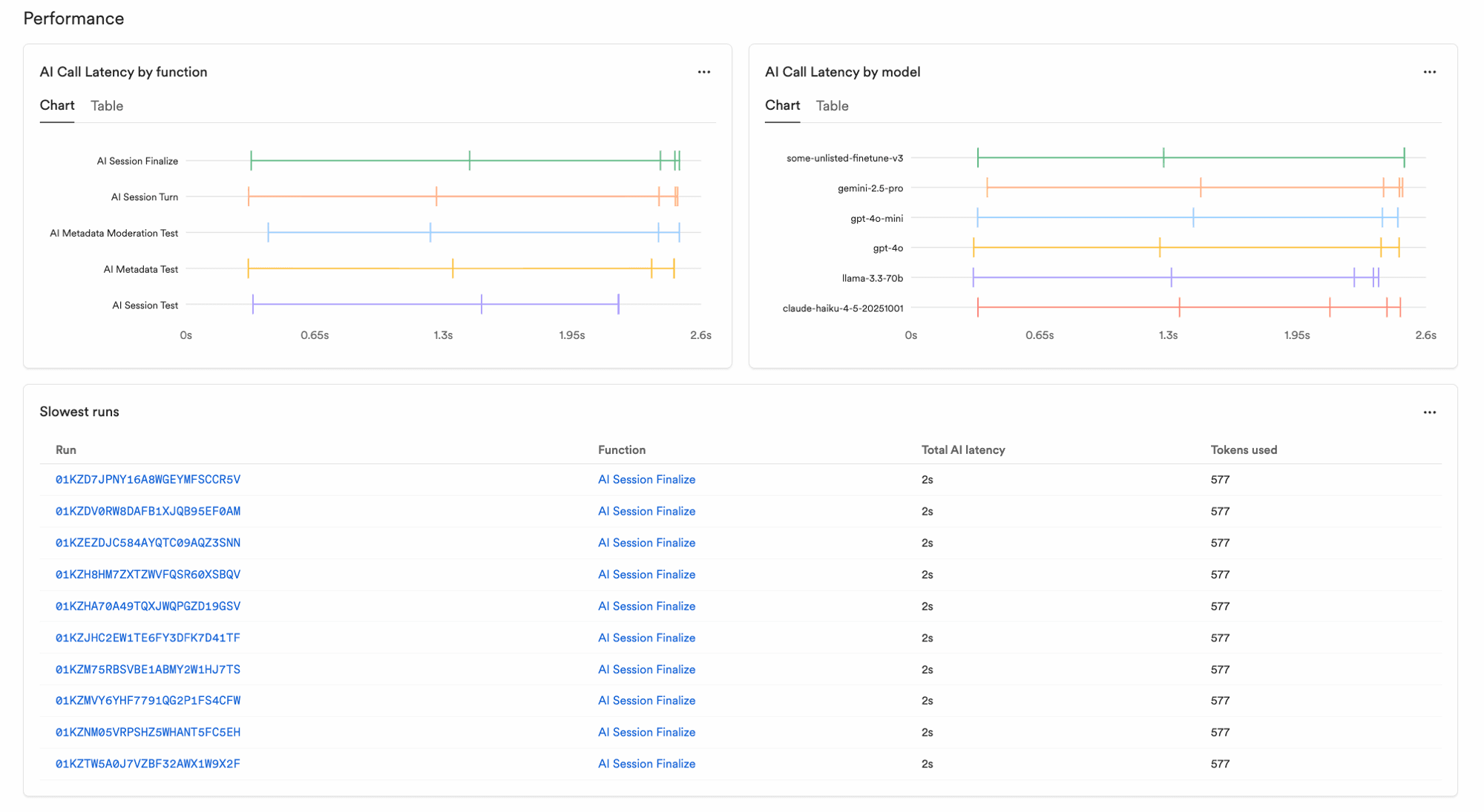
- AI call latency by function and by model - as a chart or a sortable table (min, p50, p95, p99, max), measuring individual AI calls rather than whole runs.
- Slowest runs - the top 10 runs by total AI call latency.