Sessions
Find related runs in one view by giving their events the same conversation, ticket, or job ID.
A support ticket may trigger several functions before a customer gives feedback. Put the same ticket ID on each relevant event, and the session shows those runs together. You can then trace the work behind one outcome across functions. Use sessions for any ID that ties runs together, such as an AI conversation, agent run, support ticket, import, or long-running business process.
Sessions add metadata to events. They don't change which functions run, how events match triggers, or how a waiting function matches an event. meta.sessions requires TypeScript SDK v4.7.0 or later.
Add a session to an event
Put sessions in the event's top-level meta object:
await inngest.send({
  name: "support/message.received",
  data: { ticketId: "ticket_42", messageId: "msg_17" },
  meta: {
    sessions: {
      ticket_id: "ticket_42",
    },
  },
});
ticket_id is the session key and ticket_42 is the session ID. Put the same pair on later events for that ticket. An event can carry up to five sessions, such as a conversation_id and a user_id.
Webhook transforms can add sessions too. Return meta.sessions in the transformed event. See Write a transform.
Choose a session key
Use one stable key for each kind of work you'll inspect later: conversation_id, ticket_id, agent_run_id, workflow_id, or import_id. Sessions work best for IDs with many distinct values. For broad labels such as environment: prod, filter runs or use Insights instead.
Put the changing ID in the value, not the key:
// Do this
meta: { sessions: { conversation_id: "conv_1234" } }

// Not this
meta: { sessions: { "conversation_id:conv_1234": "true" } }
Session IDs are opaque strings and can contain characters like : or /. Use IDs that are safe to show in the dashboard. Keep secrets and sensitive personal data out of session IDs.
Supported values
- Session keys must be non-empty strings, up to 128 bytes.
- Session IDs must be non-empty strings or finite numbers, up to 512 bytes. Numbers are stored as strings.
nullclears a propagated session instead of creating one. See Override propagated sessions.- Booleans, objects, and arrays are rejected.
This event uses a string ID and a numeric ID:
await inngest.send({
  name: "app/agent.step.completed",
  data: {
    stepId: "step_1",
  },
  meta: {
    sessions: {
      conversation_id: "conv_1234",
      thread_id: 29563,
    },
  },
});
See Limits for the per-event and per-run limits.
Inspect related runs
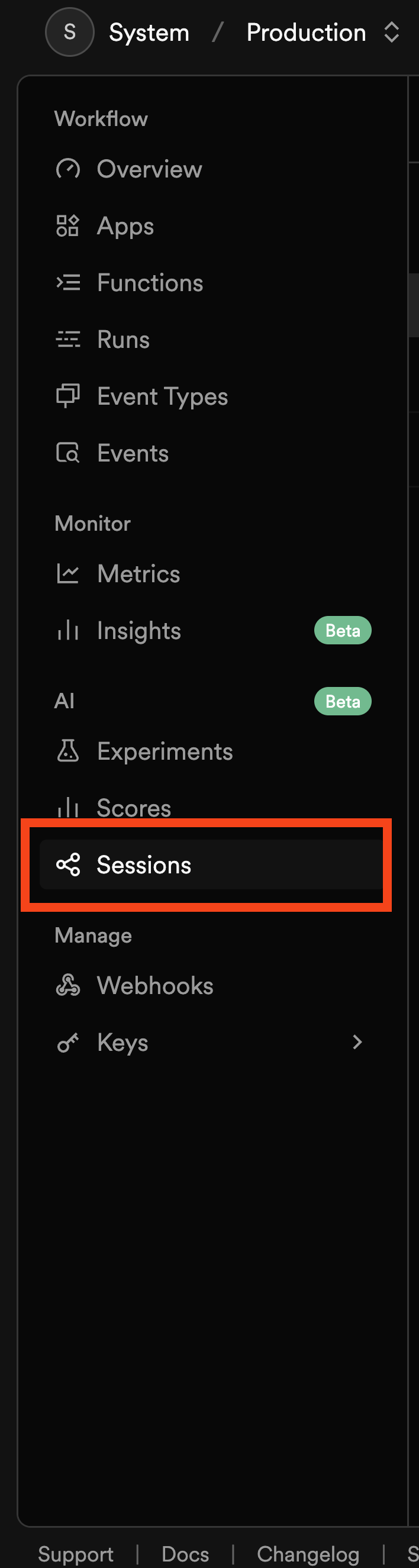
In the Inngest dashboard, select the environment that received the events, then open AI → Sessions.
Search for a session key, such as ticket_id:
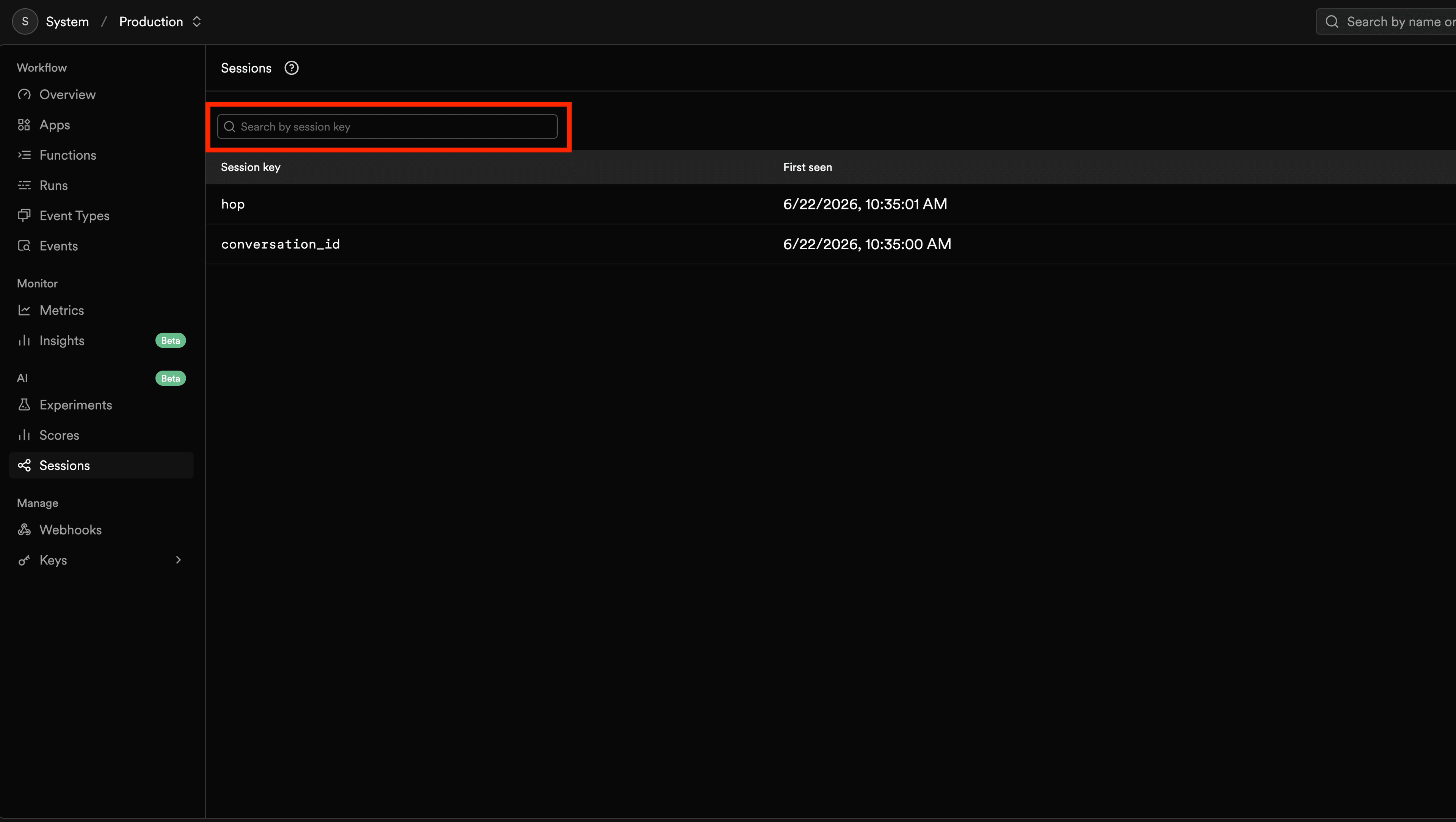
The results list each session ID for that key with its run count, failed runs and failure rate, last active time, and the functions seen in it. Select a row to see that session's runs, then open a run to inspect its trace and scores.
Sessions are scoped to an environment. If you don't see a session, check that you're in the environment where the event was sent.
Sessions use the same asynchronous index as Insights. New events, recently started runs, and status changes can take a short time to appear. Treat Sessions as a view for finding and inspecting related runs, and use the run view for the current state of active work.
Session propagation
With TypeScript SDK v4.18.0 or later, a run's sessions pass automatically to events it creates through step.sendEvent(), step.invoke(), inngest.send(), and defer(), and to its inngest/function.finished, .failed, and .cancelled events. A deferred scorer therefore joins the session of the run it scores.
An event can carry five sessions. When propagated and manual sessions together exceed that, manual sessions are kept first, then propagated sessions are added in alphabetical order until the limit is reached.
Override propagated sessions
Sessions you set manually always override propagated ones. Set a key to null to clear it without setting a new one:
await step.invoke("summarize-conversation", {
  function: summarizeConversation,
  data: { conversationId: event.data.conversationId },
  meta: {
    sessions: {
      conversation_id: null,
      user_id: "usr_xyz",
    },
  },
});
Set meta.sessions to null to clear every propagated session:
await step.invoke("summarize-conversation", {
  function: summarizeConversation,
  data: { conversationId: event.data.conversationId },
  meta: {
    sessions: null,
  },
});
Disable propagation
Propagation is on by default. Turn it off for a client:
const inngest = new Inngest({
  id: "my-app",
  sessionPropagation: false,
});
Propagation through inngest.send() relies on async local storage. It doesn't work in runtimes without it, such as Cloudflare Workers with nodejs_compat turned off.
Sessions and waitForEvent
step.waitForEvent() doesn't match on sessions. Matching uses only the event name and the match or if expression. The matched event's sessions are available on result.meta?.sessions.
Sessions and batching
A batched run belongs to the sessions of every event in its batch, up to 25 unique key and ID pairs, ordered alphanumerically. Events the batched run creates only inherit sessions shared by every triggering event, up to five. If a run acts on one event from the batch, read that event's sessions and set them on child events yourself.
Inspect or edit sessions with middleware
Use middleware to validate, encrypt, or strip sessions before events are sent. This middleware stops an internal key from propagating to child runs:
import { Middleware } from "inngest";
import type { EventMeta } from "inngest";

export class SessionPolicy extends Middleware.BaseMiddleware {
  readonly id = "session-policy";

  // Runs for step.sendEvent() and inngest.send().
  transformSendEvent(arg: Middleware.TransformSendEventArgs) {
    for (const event of arg.events) {
      delete event.meta?.propagated_sessions?.internal_trace_id;
    }
    return arg;
  }

  // step.invoke() carries the event it will send in its step input.
  transformStepInput(arg: Middleware.TransformStepInputArgs) {
    if (arg.stepInfo.stepType === "invoke") {
      const opts = arg.input[0] as { payload: { meta?: EventMeta } };
      delete opts.payload.meta?.propagated_sessions?.internal_trace_id;
    }
    return arg;
  }
}
Next steps
- Agent Evals overview shows how sessions, traces, scores, and experiments fit together.
- Scores record the outcome on a run or step.
- Experiments compare variants.
- Send events covers the rest of the event
metaobject.