Rerun and Rerun From Step
Rerun a single function run from the beginning or from a selected step. Each rerun creates a new run from the original run's trigger data. When you rerun from a step, Inngest creates a new run and reconstructs the results of all earlier steps as memoized state. The selected step and every step after it execute again. If you provide replacement input, the selected step uses that new input.
Use reruns to recover one failed production run after you deploy a fix, or to iterate on a function in the Dev Server.
To recover many runs from an incident, use Bulk Replay instead. Rerun targets one run; Replay selects many runs by function, time range, and status.
Before you rerun
Open the run in Runs in the Inngest Cloud dashboard or Dev Server and inspect its trace. Check the error, step inputs and outputs, and the side effects that may run again.
A rerun uses the function code that is available when the new run starts. Deploy a production fix before rerunning a failed Cloud run.
Rerun from the beginning
- Open the function run.
- Select Rerun in the run header.
- Follow the new run to confirm that it completes.
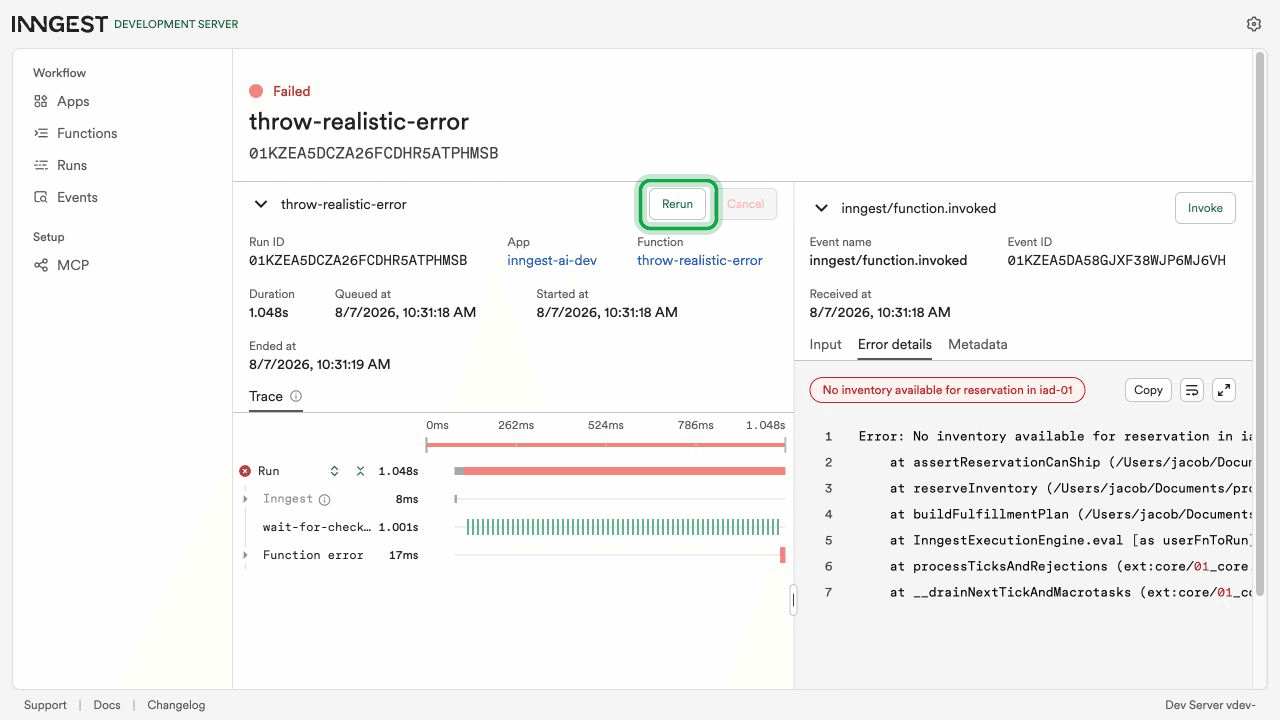
The new run uses the original trigger data and executes the function from the beginning. Completed steps from the original run are not reused.
You can run the same operation against the local Dev Server with the CLI:
inngest api rerun <run_id>
Add --prod to target Inngest Cloud:
inngest api --prod rerun <run_id>
The equivalent REST API request is:
curl -X POST "https://api.inngest.com/v2/runs/<run_id>/rerun" \
  -H "Authorization: Bearer $INNGEST_API_KEY" \
  -H "Content-Type: application/json" \
  -d '{}'
See the rerun REST API reference for the full request and response schemas, and API keys for Cloud authentication.
Rerun from a step
Use Rerun from step to keep the state created by earlier steps and restart the function at a later point.
- Select a step in the run trace.
- Select Rerun from step in the step details panel.
- Review the step input. If the step supports input overrides, edit the JSON input.
- Select Rerun function.
- Follow the new run and compare its trace with the original.
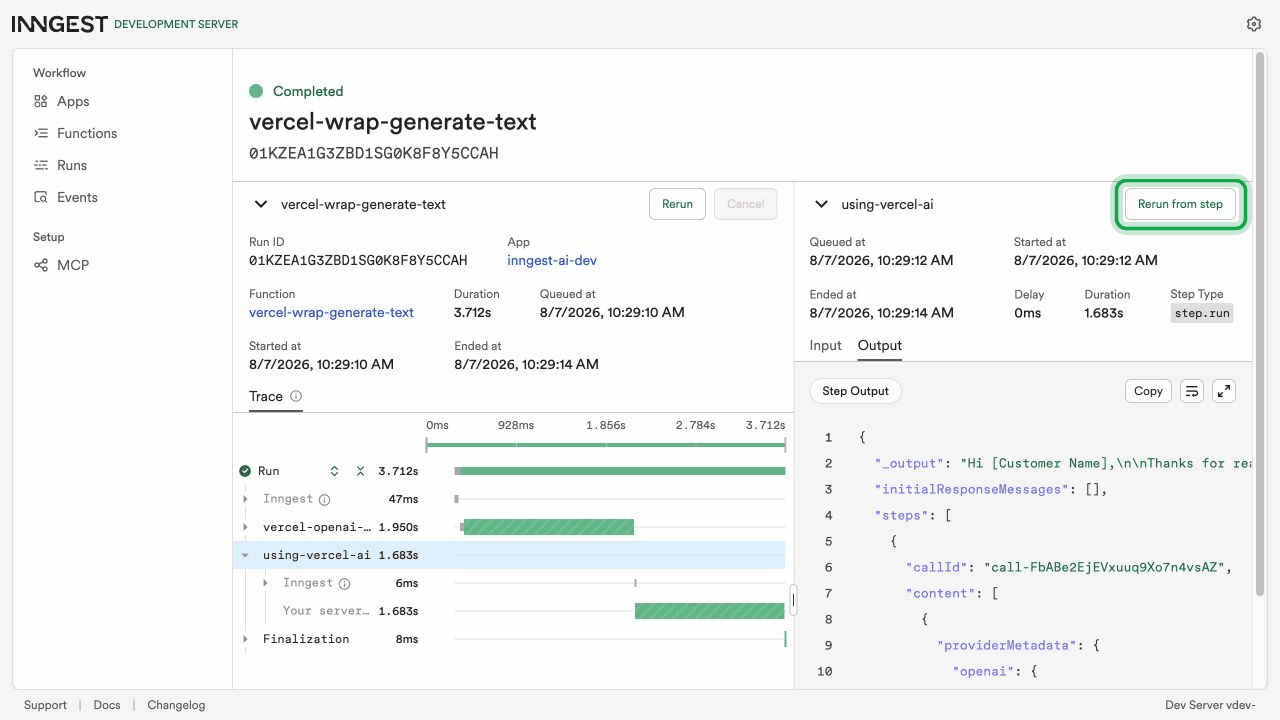
The input editor shows the original input beside the input for the new run. This is useful for testing a prompt variant without repeating earlier steps such as data loading, document parsing, or other model calls.
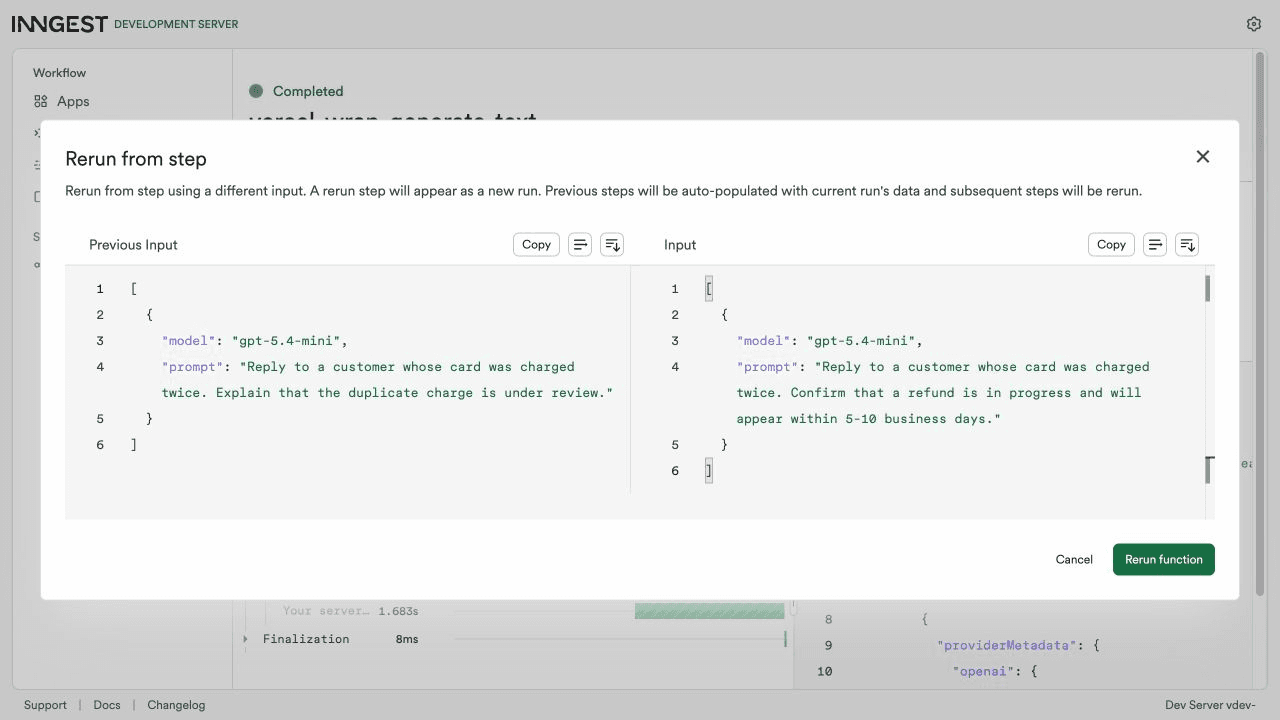
Step inputs must be JSON serializable. A step that does not support input overrides can still be used as the starting point, but its input cannot be edited. For step.ai.wrap(), pass the model and prompt as serializable arguments if you want to edit them before a rerun. See AI orchestration for an example.
Use --from-step with the CLI to rerun from a step. The value is the step's user-defined ID:
inngest api rerun <run_id> \
  --from-step "using-vercel-ai" \
  --input '[{"model":"gpt-5.4-mini","prompt":"Reply to the customer and confirm that a refund is in progress."}]'
Add --prod to run the command against Inngest Cloud. The equivalent REST API request is:
curl -X POST "https://api.inngest.com/v2/runs/<run_id>/rerun" \
  -H "Authorization: Bearer $INNGEST_API_KEY" \
  -H "Content-Type: application/json" \
  -d '{
    "fromStep": {
      "stepId": "using-vercel-ai",
      "input": [
        {
          "model": "gpt-5.4-mini",
          "prompt": "Reply to the customer and confirm that a refund is in progress."
        }
      ]
    }
  }'
The REST API and CLI require replacement step input as a JSON array because it represents the arguments passed to the step handler.
How rerun-from-step state works
For a rerun that starts from step-b:
| Part of the function | What the new run does |
|---|---|
Steps before step-b | Restores their saved outputs from the original run |
step-b | Executes again, using the replacement input when provided |
Steps after step-b | Executes again |
The new run has its own run ID and trace. The original run and its trace do not change.
Verify the rerun
Open the new run and confirm:
- The selected step and later steps executed again.
- Earlier step outputs match the original run when you reran from a step.
- The selected step shows the replacement input, if you provided one.
- Later steps completed and any repeated side effects are correct.
Rerunning repeats every side effect from the selected starting point. Keep steps idempotent where possible, and review actions such as charging a card, sending a message, or updating a record before you rerun them.
Limitations
- Cron-triggered runs cannot be rerun.
- A step ID must identify one step in the original run. If the same user-defined step ID appears more than once, choose a unique step ID before relying on API or CLI reruns from that step.
- Input overrides must be a valid JSON array and must match the arguments expected by the step handler.