When something goes wrong in production, you need to figure out what happened. To do that, you'll need some data.
Tools like Datadog give you infrastructure-level observability — metrics, logs, traces. But Datadog doesn't know about your business data. It can't answer "which users are triggering the most order events?" or "what did this function return for orders over $100?" because it doesn't have your event payloads or function outputs.
Inngest does. While Insights already let you query your events: what fired, how often, with what payload, it now does even more. As of today, runs, steps, step attempts, and trace spans are now queryable too.
Back up, what is Insights?
Insights is an SQL editor built into the Inngest dashboard. It queries your actual event and execution data — the same data that powers your run traces and function logs — directly, with no export step required. It's built on ClickHouse, so queries over tens of millions of rows are fast.
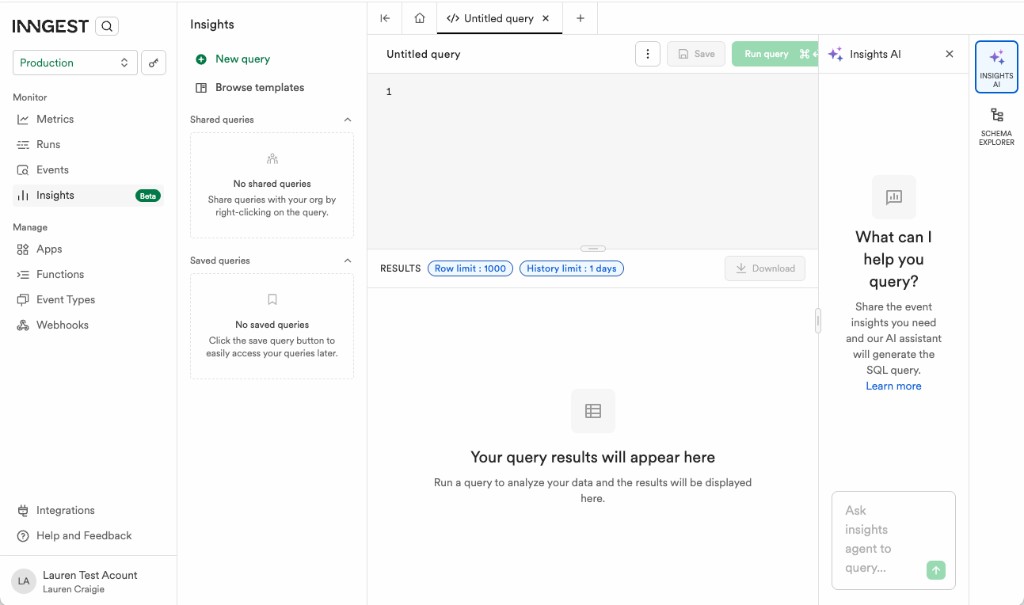
When we launched Insights last September, you could query your events table: what events fired, how often, with what payloads. Useful for tracking usage and debugging triggers. But the most common question we heard after launch was: "Can I query my runs too?"
In January, we added Insights AI — plain English to SQL, so your whole team could use Insights without knowing database syntax.
What's new with Insights?
We've just launched expanded support for Insights: you can now query inside function runs, not just the events that trigger them.
Insights now supports four tables:
events — Every event sent to Inngest, with its full payload. The original Insights datasource.
runs — Every function execution, with status, input, output, error, and timing. Answer questions like "which functions failed in the last hour, and what did they return?"
steps and step_attempts — The individual steps inside your runs. steps gives you the latest attempt per step; step_attempts gives you every retry. If a specific step is slow, failing, or being retried more than expected, this is where you look.
extended_trace_spans — OpenTelemetry spans emitted during step execution. For teams using Extended Traces, this brings that data into SQL — query by span name, service, or scope to find exactly where inside a step things went wrong.
Before today, Insights told you what triggered your workflows. Now it tells you everything that happened inside them.
Better SQL
JSON fields — event payloads, function inputs, outputs, errors — are now accessible via dot notation:
SELECT data.user_id, count(*)FROM eventsWHERE name = 'order.created'GROUP BY data.user_idORDER BY count(*) DESCLIMIT 10;
SELECT input.user_id, input.order.amountFROM runsWHERE function_id = 'my-app-process-order'AND input.order.amount > 100;
We've also expanded the supported function set — arithmetic, string, date/time, array, map, and aggregates including quantile(), countIf(), and more.
Two new sidebar tools
Insights AI is now integrated directly into the sidebar. Describe what you want in plain English, and it identifies the relevant events, writes the query, runs it, and summarizes the results. It's built on Inngest's own Realtime API and durable execution with checkpointing — a working example of what you can build with Inngest.
Schema Explorer shows you the available tables and the structure of each event type's data payload. Click any field to copy it into your query. Your schema, next to your editor, always current. Learn more about Schema Explorer.
Get started
Insights is available in the Inngest dashboard, with pre-built query templates to help you hit the ground running.
- Open Insights in the dashboard.
- Read the docs to see what's queryable and explore example queries.
- View a Pattern to see how Insights helps measure event coordination flows.